Botico Explained: How No-Code Trading Bots Work, Step by Step
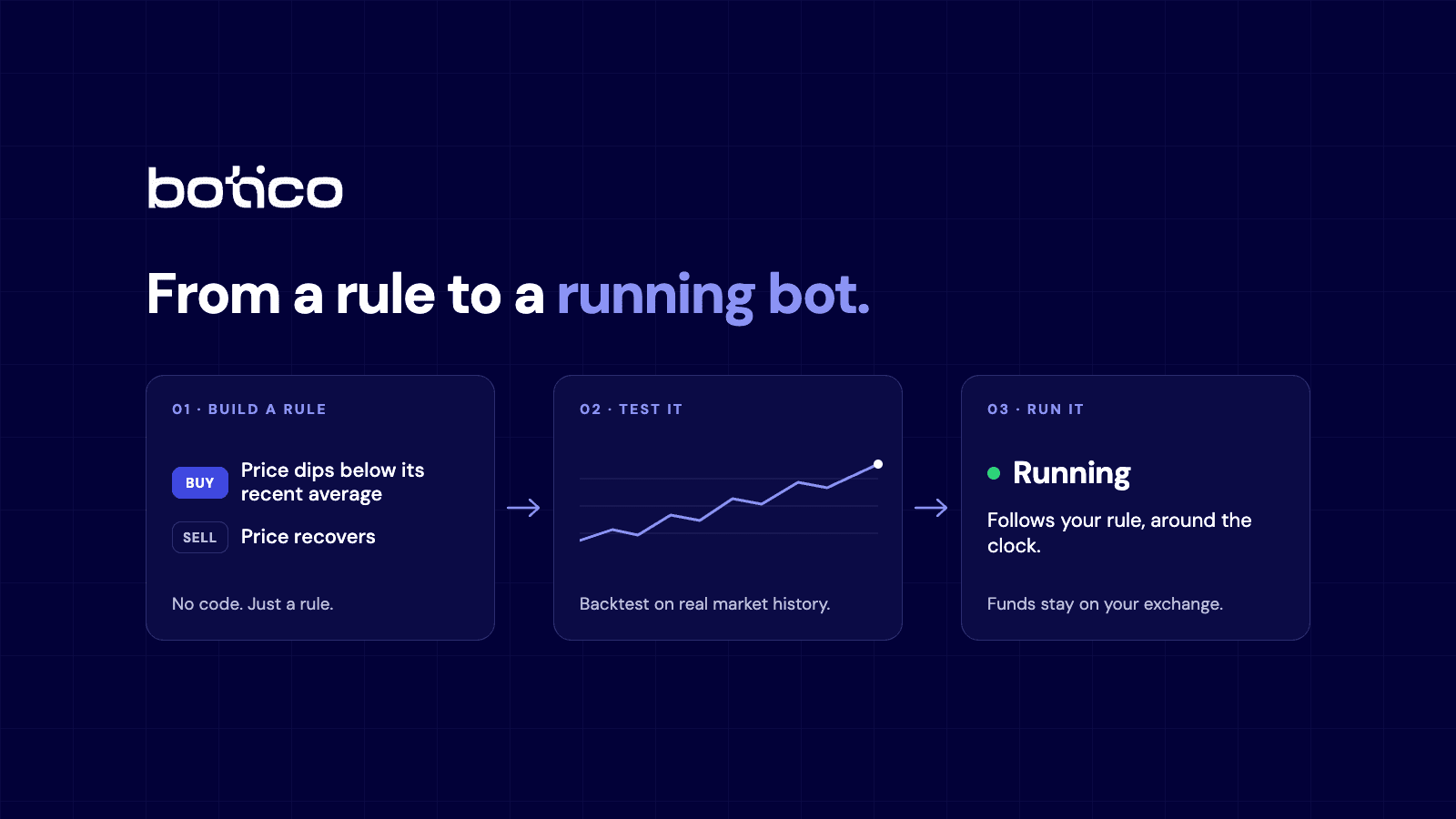
Most people hear “algorithmic trading” and picture a hedge fund with a room full of programmers. In practice the idea is much simpler. You write down a rule, such as “buy when the price dips below its recent average, sell when it recovers”, and a computer follows that rule for you, around the clock, without getting tired or emotional.
Botico is a no-code platform built around that idea. This guide walks through everything it does, feature by feature, in everyday language. You do not need any trading or programming background to follow it.
One important note before we start. Trading involves risk, and nothing here is financial advice or a promise of results. This is a description of a tool, not a recommendation to trade.
The big picture: four steps from idea to bot
Everything in Botico follows the same path, and it helps to keep it in mind while reading the rest:
- Describe your trading rules (a strategy).
- Create a bot: pick the market, attach your strategy and, if you want to, add risk settings.
- Test it on past market data before using real money.
- Run it with virtual money first, then, if you choose, with real money.
A quick glossary, so nothing sounds like jargon
- Bot: a program that places buy and sell orders for you according to rules you set.
- Indicator: a calculation on past prices that helps spot a pattern, for example whether a price is rising faster than usual.
- Stop loss: an automatic exit that limits how much you lose on a trade.
- Take profit: an automatic exit that locks in a gain once a target is reached.
- Backtest: replaying a strategy on old market data to see how it would have behaved.
- Drawdown: how far your balance has fallen from its highest point.
Step 1: Signal Setup, your rules without code
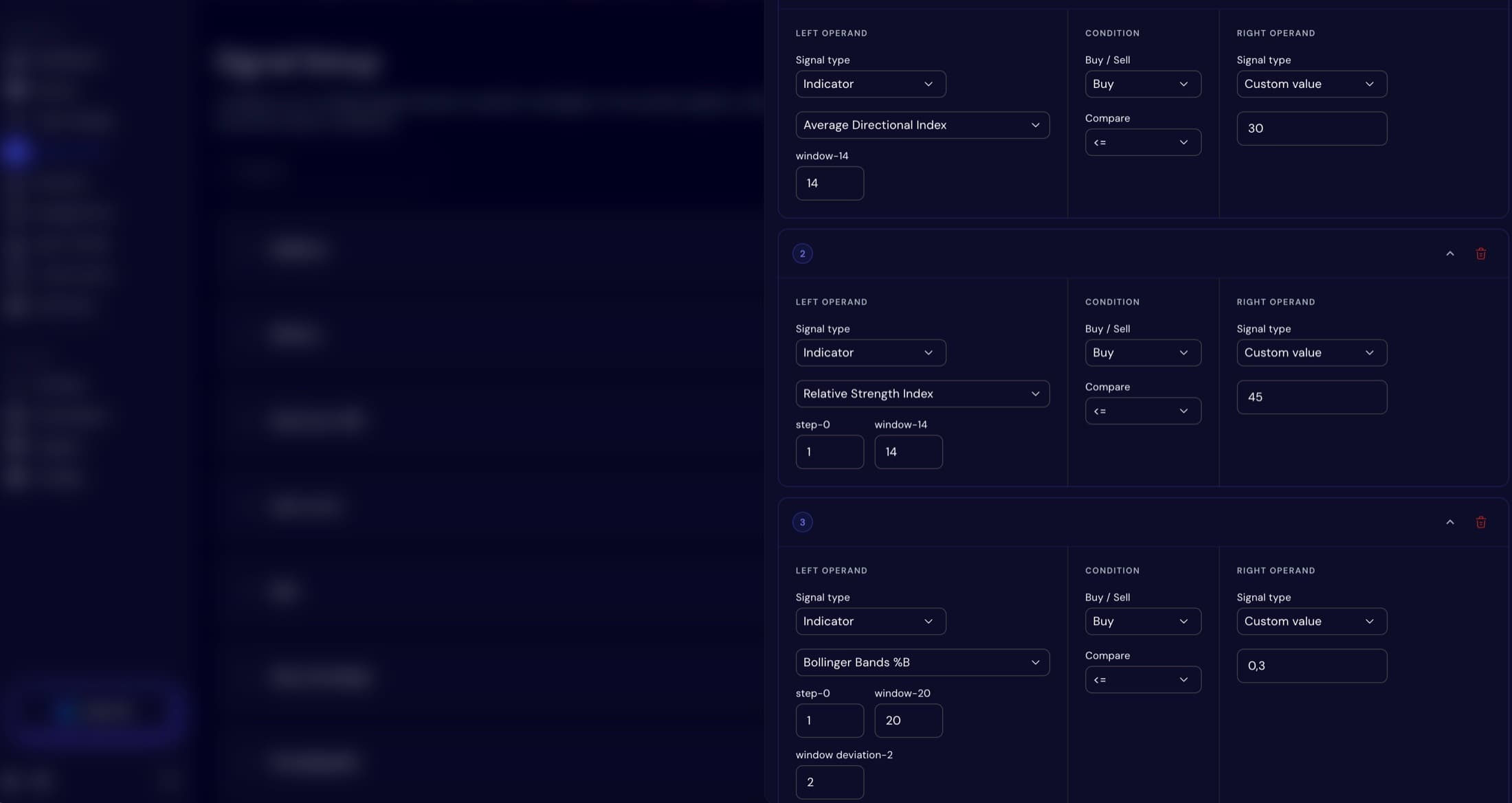
A “signal” is simply a condition that says “now is a time to buy” or “now is a time to sell”. In Botico you build these in a visual editor. You choose from around forty well-known indicators, such as RSI, MACD, Bollinger Bands, Ichimoku, ATR, Stochastic, moving averages, ADX and OBV, and combine them with simple comparisons: greater than, less than, equal to, crosses above, crosses below.
For example, a buy rule could read “when the short-term average crosses above the long-term average”. There is also a setting for how many of your conditions must be true at the same time before a trade happens. You might list five conditions and require any three of them. Because the logic is made of conditions you wrote yourself, it is never a black box.
Step 2: Algo Trading, building the bot itself
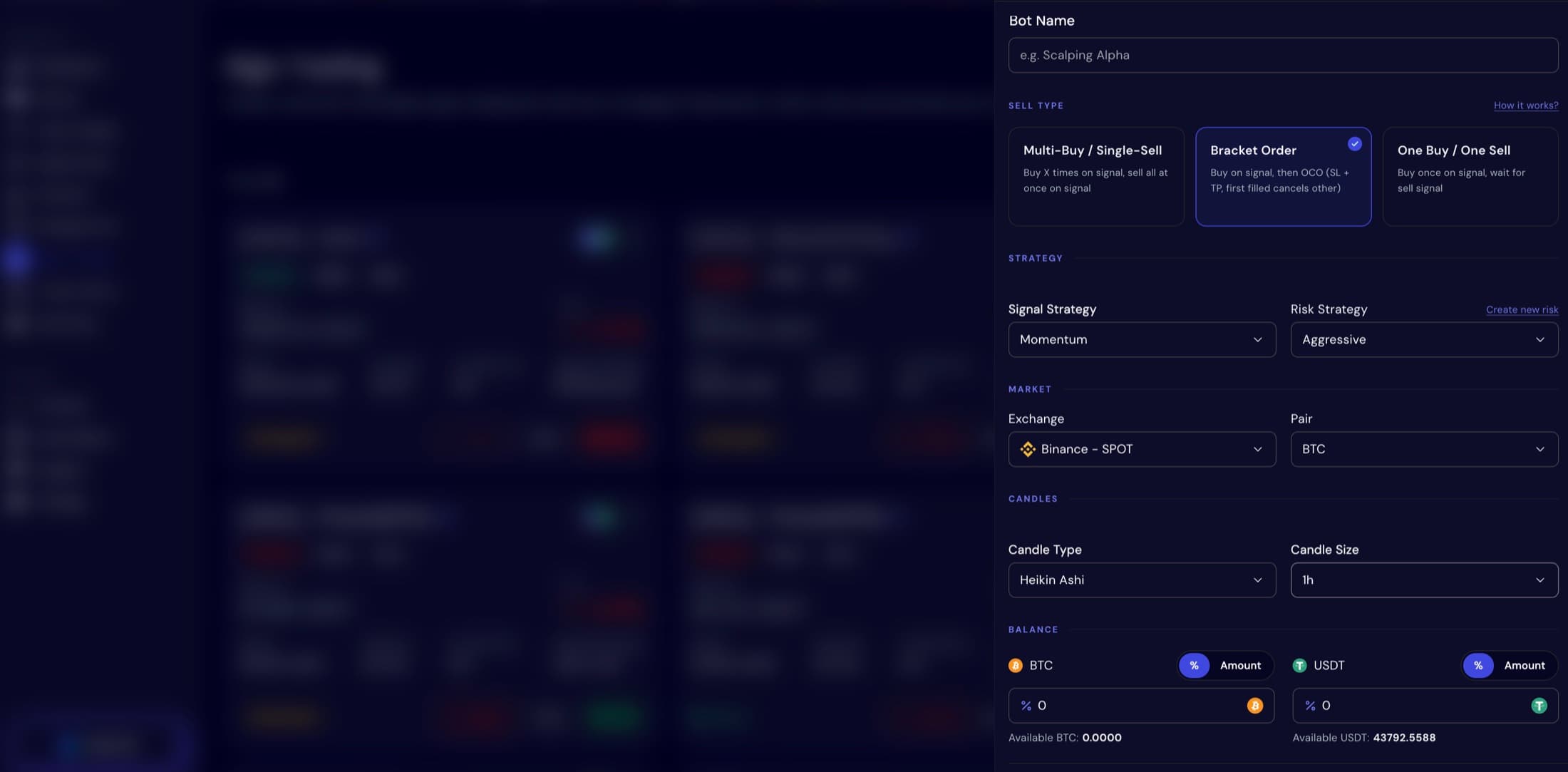
A bot is made by picking an exchange, a trading pair (such as BTC to USDT) and a signal strategy, all in one new-bot form. You then choose one of three ways the bot sells:
- Multi-Buy / Single-Sell: the bot can buy several times as signals repeat, building up a position gradually, then sells everything in one go. Many people know this idea as dollar-cost averaging.
- Bracket Order: the bot buys, then immediately sets both a stop loss and a take profit. Whichever is hit first closes the trade and cancels the other.
- One Buy / One Sell: the simplest option. One entry, one exit.
Risk settings are optional. The same form lets you attach a risk profile if you want one, but you can leave it out. Experienced traders often say that how you manage risk matters more than which signals you use, so it is worth a look. A profile has three parts:
- Position sizing: how much money goes into each trade, using either a fixed percentage of your balance or the Kelly Criterion, a mathematical formula for sizing bets.
- Stop loss: where to exit if the trade goes wrong, either at a percentage or based on ATR, a measure of how much the price normally moves.
- Take profit: where to exit with a gain, either at a percentage or as a ratio of risk to reward.
Two details make building less fiddly. You can create a risk profile right inside the bot form instead of leaving the page, and reuse it across as many bots as you like. A bot also does not have to start with cash. It can start with a coin you already hold, so an existing balance can be put to work without selling it first.
Drawdown Limit, a safety setting that does not panic
Every strategy has bad stretches. The optional Drawdown Limit lets you pick a percentage, anywhere from 1 to 99. If the bot's total value falls further than that below where it started, the bot stops opening new buys. It keeps selling, so it can still work its way back up, and it resumes buying automatically once it recovers. Nothing is cancelled and the bot keeps running. It simply stops adding to the position while it is down.
Backtesting, the most important feature for beginners
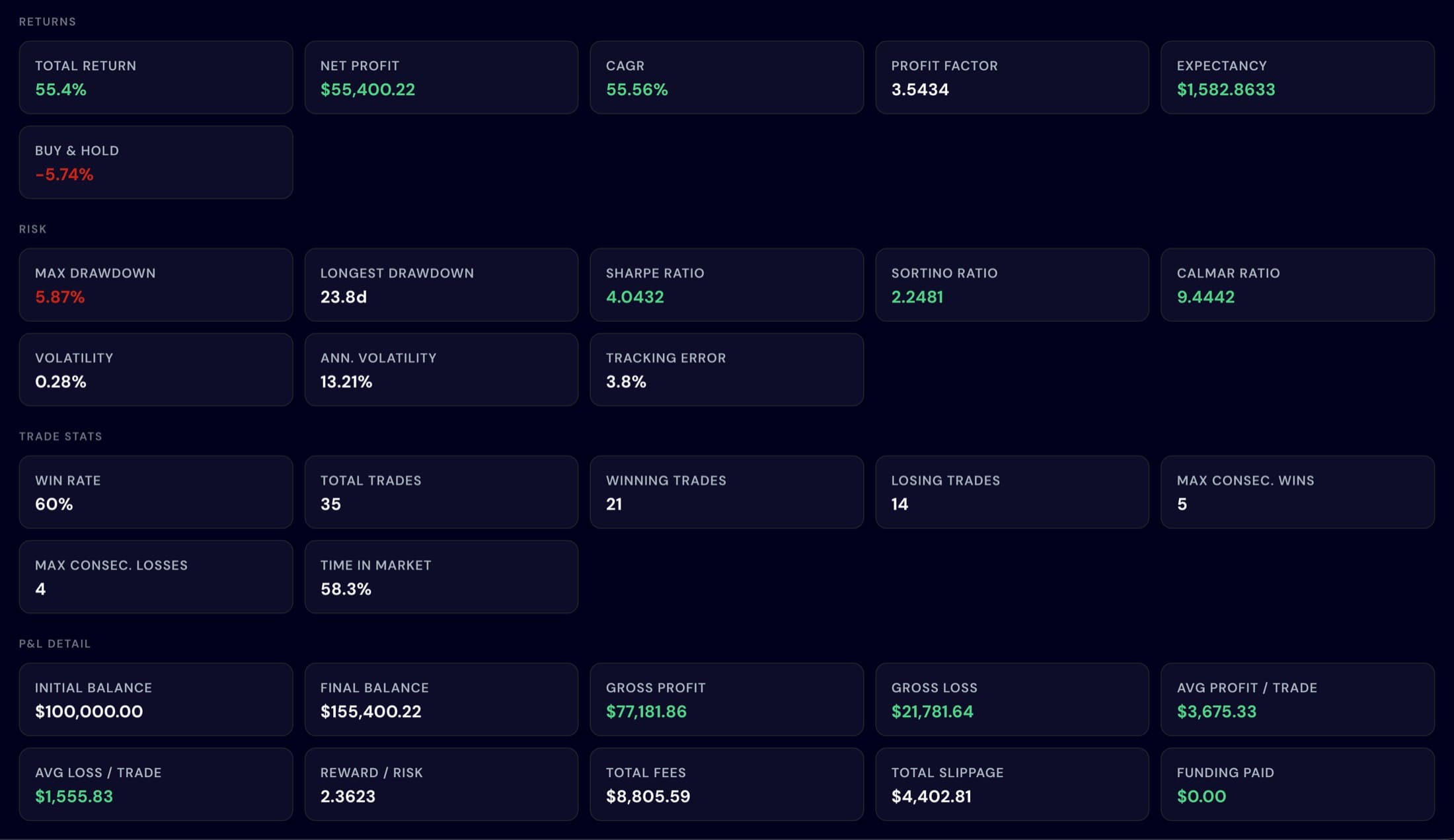
A backtest replays your strategy on real historical prices and shows what would have happened. This is the step that separates a tested idea from a guess. You get the headline numbers people look at, including return on investment, Sharpe ratio (return compared with how bumpy the ride was), maximum drawdown (the worst fall from a peak), win rate and a full list of every simulated trade. You can compare several backtests side by side, and futures backtests support leverage up to 125 times.
An honest caution: a good backtest does not guarantee future results. Markets change, and a strategy can look great on the past and still struggle later. A backtest is a filter for bad ideas, not a promise about good ones.
Paper trading versus live trading
Botico has two modes. Paper uses virtual money with live market prices, so you can watch a bot work with nothing at stake. Live trades real funds on your exchange. It is sensible to run a new bot in paper mode first and move to live only when you understand how it behaves. Paper trading is the only part that carries no financial risk.
Bot Details, understanding what your bot is doing
Each bot has its own page with three tabs. Overview shows its settings, performance and a chart. Metrics lays out the full set of performance measurements, such as return, profit and loss, Sharpe and Sortino ratios, win rate, profit factor and fees paid. Trades lists every position, and you can click one to see exactly which of your conditions triggered it. That last part is the transparency that many paid “signal groups” lack.
Trade History and Reporting
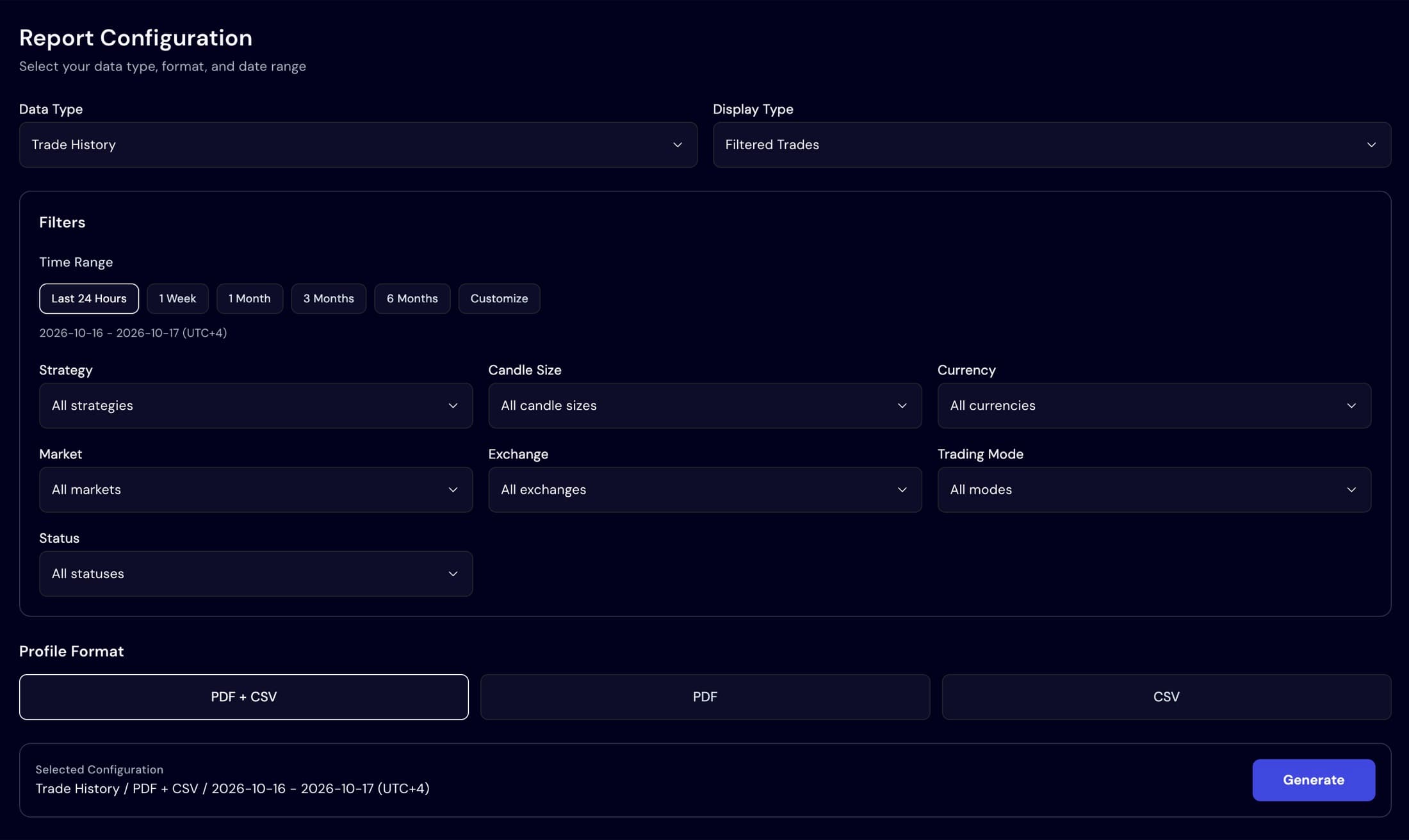
Trade History keeps buys, sells and open orders in one place, filterable by bot, currency or status, for both paper and live trading. Reporting lets you export a backtest report or your trade history as PDF, CSV or both, filtered by market, mode, status or date range. That is handy for your own records or for tax paperwork.
Copy Trading, following (or being followed)
If you would rather not design a strategy, Copy Trading lets you follow another user's bot and mirror its trades automatically. Each profile shows the strategy, risk style, pair, exchange, timeframe and any fee, along with live profit, return and trade count. Where available, it also shows backtest statistics for that bot, so you can look at the evidence instead of a claim. You choose paper or real money, set how much balance to allocate and can cap trade and daily amounts.
It works the other way too. If you build a strategy you are proud of, others can subscribe to it, and you can charge a fee for it.
Library, so you never face a blank page
The Library is a collection of ready-made strategy templates and risk presets. You can copy one, edit it and make it your own. For a beginner, this is the easiest place to start, because you learn by changing something that already works instead of building from nothing.
AISHA, a co-pilot for reviewing your strategy
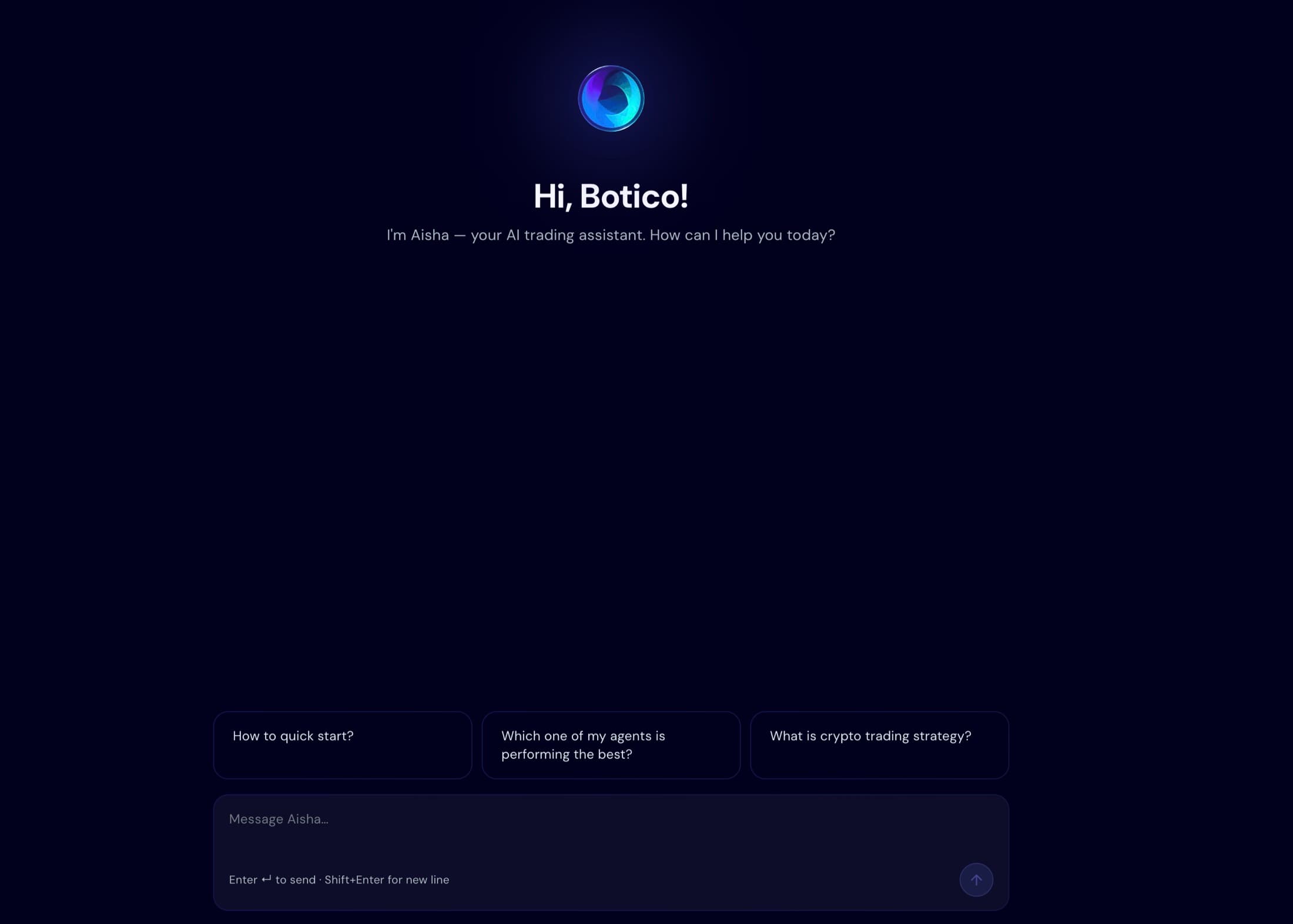
AISHA is Botico's AI assistant. You can chat with it to get feedback on a strategy you have written. Think of it as a second pair of eyes that reviews your rules. It does not place trades or manage your portfolio on its own, and its feedback is not financial advice.
Dashboard, security and where your money stays
The Dashboard gives a one-screen overview: balances by exchange, market sentiment, how many bots and strategies you have, open orders and your most profitable bots. On security, Botico supports two-factor authentication, shows active sessions by device and approximate location, and offers Telegram alerts and granular notification controls.
Most importantly, Botico is non-custodial. It trades through an API key on the exchange account you already own, so your funds stay with your exchange rather than with Botico. Bots also run on Botico's own servers, which means closing your laptop or losing your home internet does not stop them.
Markets, exchanges and plans
- Exchanges: Binance, Bybit, Coinbase and KuCoin. KuCoin has a one-click connection where Botico creates the API key for you.
- Markets: spot and futures, across cryptocurrencies and tokenized stocks such as Apple or Tesla.
- Plans: every plan comes with a 7-day free trial. Paid tiers raise limits such as the number of bots, daily backtests and how much historical data you can test against, and you can cancel anytime. See current plans on botico.ai.
Who it is for
Botico suits people who want rules-based, automated trading without writing code, people who want to test an idea before risking money, and busy people who cannot watch charts all day. It is not a shortcut to guaranteed returns, and it will not remove the risk of trading.
Frequently asked questions
What is Botico?
Botico is a no-code algorithmic trading platform. You describe your trading rules visually, test them on past market data, practise with virtual money, and then run them as a bot on your own exchange account.
Do I need to know how to code?
No. Strategies, risk settings and bots are all built with forms and visual controls. There is no programming language to learn.
Does Botico hold my money?
No. Botico is non-custodial. Trades happen on your own exchange account through an API key, so your funds stay on the exchange you already use.
Can I try it without risking real money?
Yes. Paper trading runs a bot on virtual money with real market prices, so you can watch how a strategy behaves without putting funds at stake.
Is there a free trial?
Yes. Every Botico plan includes a 7-day free trial.
Which exchanges and markets does it support?
Botico connects to Binance, Bybit, Coinbase and KuCoin. It supports spot and futures markets, and trades both cryptocurrencies and tokenized stocks.
Does it guarantee profits?
No. Trading always involves risk and Botico does not promise returns. It is a tool for building, testing and running strategies, not a source of financial advice.
// try botico
7 days free
on all plans
Build a strategy, backtest it and run it on virtual money before you decide anything.
Start your free trial at botico.aiDisclaimer: trading cryptocurrencies, tokenized stocks and leveraged products involves significant risk and you can lose money. This article is for information only and is not financial or investment advice. Past performance, including backtested performance, does not guarantee future results.